


Manual operational tasks—such as updating spreadsheets, tracking project milestones, and dispatching repetitive email notifications—frequently consume valuable time and introduce human error into business processes. When team members are perpetually caught in administrative maintenance, overall productivity slows down.
Workflow automation offers a systematic way to eliminate these operational bottlenecks.
What Is Workflow Automation?
At its core, workflow automation refers to the strategic deployment of software technology to execute operational tasks autonomously. Rather than relying on manual human intervention at every step, automated workflows establish deterministic chain reactions: an antecedent event (a trigger) systematically initiates a subsequent task (an action).
When implemented effectively, routine tasks—such as updating project statuses, assigning deliverables, or dispatching deadline reminders—occur automatically in the background.
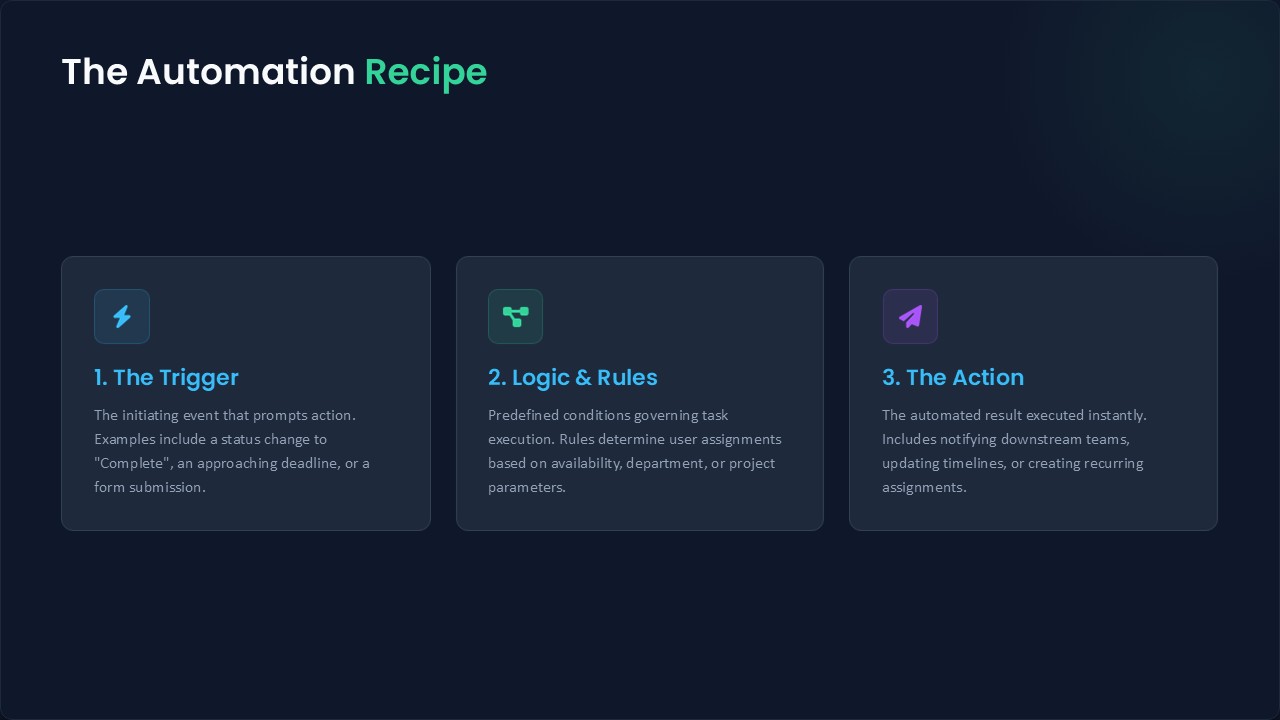
[ Trigger Event ] ──► [ Automated Logic ] ──► [ Standardized Action ]
  (e.g., Task Complete)                           (e.g., Notify Next Team)
Anatomy of an Automation: The “Recipe” Framework
Modern work platforms model workflow automation using recipes—structured rules that dictate how information and tasks move through a system.
Just as a culinary recipe outlines inputs and sequential instructions to yield a consistent result, an automation rule specifies exact conditions and outcomes:
- The Trigger (The “When”): A specific event or parameter change, such as a status marked as “Complete,” a specific day of the week, or an approaching deadline.
- The Action (The “Then”): The automated response, such as reassigning a task based on team bandwidth, triggering notifications for downstream dependencies, or generating recurring weekly assignments.
Example: When a software feature passes quality assurance testing (Trigger), the platform automatically transitions the task to the deployment team and alerts the product manager (Action)—eliminating manual handoffs entirely.
Key Benefits for Modern Operations
Implementing workflow automation across team operations yields tangible structural advantages:
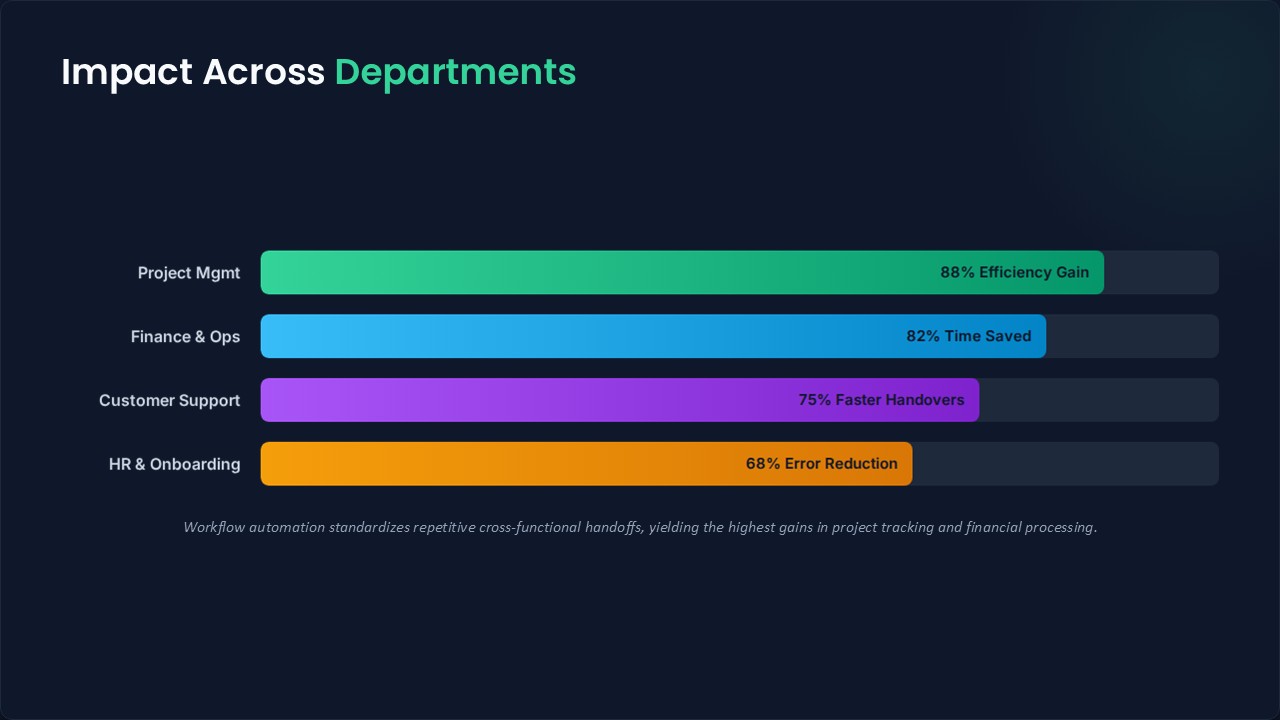
- Error Reduction: Standardizing handovers and data updates drastically lowers the risk of missed deadlines, misrouted communications, or forgotten administrative steps.
- Seamless Cross-Functional Handovers: Dependent teams receive real-time notifications the precise moment a prerequisite task is completed, ensuring uninterrupted project momentum.
- Low Technical Barrier: Contemporary work management tools feature intuitive, dynamic rule builders. Users construct rules using natural-language logic without requiring complex code development.
- Resource Realignment: By delegating administrative overhead to automated systems, teams reallocate their cognitive focus toward strategic planning, innovation, and core project execution.
Reference
This overview synthesizes the principles of process automation discussed in What is Workflow Automation? | Explained in 3 Minutes by Tryve.